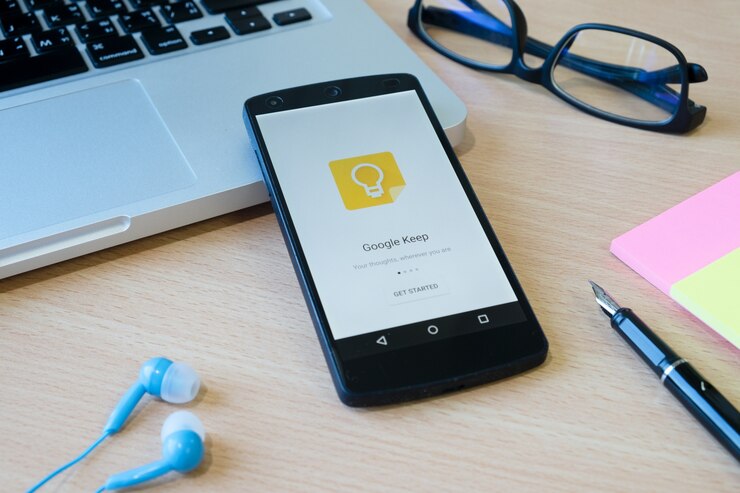
Google Keep, a free note-taking app, is one of the most powerful tools to help you keep track of your thoughts, tasks, and ideas. What sets Google Keep apart from other note-taking apps is its seamless integration with the broader Google ecosystem, making it a perfect choice for those already using Google services like Drive, Calendar, and Docs.
This article explores the various features of Google Keep and how it works harmoniously with other Google tools to enhance productivity.
What is Google Keep?
Google Keep is a cloud-based note-taking application that allows users to create, organize, and share notes across different devices. Whether you want to jot down a quick thought, make a checklist, or save a web link, Google Keep provides a simple and intuitive interface to do so.
The app is available on both Android and iOS platforms, as well as through a web browser, ensuring that your notes are always within reach, no matter where you are.
The app supports various types of notes, including text, lists, images, and audio. It also allows for color-coding notes and adding labels for easy categorization. One of the standout features of Google Keep is its ability to integrate seamlessly with other Google services, which enhances its functionality and makes it a powerful tool for anyone deeply embedded in the Google ecosystem.
Seamless Integration with Google Drive
One of the key advantages of using Google Keep is its integration with Google Drive. This connection ensures that all your notes are automatically synced and backed up in the cloud, making them accessible from any device logged into your Google account. This feature is particularly useful for those who frequently switch between devices, such as moving from a smartphone to a laptop throughout the day.
The integration with Google Drive also allows you to easily convert Keep notes into Google Docs. This feature is invaluable for anyone who needs to expand on their notes or turn them into a more formal document. With just a few clicks, you can transfer your Keep notes into a Google Doc, where you can take advantage of the rich editing features offered by Google Docs.
Enhancing Productivity with Google Calendar Integration
Another powerful feature of Google Keep is its integration with Google Calendar. This integration allows you to set reminders directly from your Keep notes, which will then appear on your Google Calendar. For example, if you create a shopping list in Google Keep and want to be reminded to complete it before the weekend, you can set a reminder that will notify you at the specified time.
This feature is incredibly useful for managing tasks and deadlines. By linking your notes and reminders with your calendar, you ensure that important tasks are not overlooked. This tight integration between Google Keep and Google Calendar helps streamline your workflow, allowing you to manage your time and tasks more effectively.
Collaboration and Sharing with Google Keep
Collaboration is a breeze with Google Keep, thanks to its integration with Google’s sharing features. You can easily share notes with others, making it a great tool for collaborative projects, group shopping lists, or even planning events. When you share a note, the other person can view, edit, and add to the note in real-time, making it a dynamic tool for collaboration.
This feature is handy in a professional setting, where teams can use Google Keep to brainstorm ideas, create shared to-do lists, or track project progress. The ability to collaborate in real-time ensures that everyone stays on the same page and that information is updated instantly.
Integration with Google Assistant
For those who use Google Assistant, Google Keep offers an added layer of convenience. You can create and manage notes and lists in Google Keep using voice commands through Google Assistant. For example, you can simply say, “Hey Google, add milk to my shopping list,” and it will automatically be added to your Keep list. This hands-free functionality is particularly useful when you’re on the go or when your hands are full.
Google Assistant can also read back your notes or reminders, making it easier to stay organized without needing to look at your device. This integration adds another dimension to the usability of Google Keep, making it an even more powerful tool for managing your day-to-day tasks.
Visual Organization and Search Functionality
Google Keep’s visual organization features make it easy to find what you need quickly. You can color-code your notes, add labels, and even pin important notes to the top of your list. This level of customization allows you to organize your notes in a way that makes the most sense for you.
Additionally, Google Keep offers powerful search functionality, which is enhanced by Google’s robust search algorithms. Whether you’re searching for a specific keyword, a label, or a color-coded note, Google Keep’s search tool quickly delivers relevant results. This feature is particularly useful for users who have a large number of notes and need to find specific information quickly.
To make the most of Google Keep and seamlessly integrate it with your other Google services, download the app on your preferred device. Whether you’re using an Android smartphone or an iPhone, Google Keep ensures that your notes, tasks, and reminders are always within reach.
Download Google Keep on Android via the Google Play Store.
Download Google Keep on iOS via the Apple App Store.
Start organizing your thoughts and tasks with a tool that fits perfectly into your digital life!
Lada Up: Why Google Keep is a Must-Have Tool
Google Keep stands out as a versatile and powerful note-taking app, especially for those already immersed in the Google ecosystem. Its seamless integration with Google Drive, Calendar, Docs, and Assistant makes it a highly efficient tool for managing tasks, collaborating with others, and staying organized. Whether you’re a student, professional, or just someone looking to streamline your daily routine, Google Keep offers the tools and flexibility to help you stay on top of your tasks.
By integrating Google Keep into your daily workflow, you can take advantage of the app’s full potential and enjoy a more organized, productive, and stress-free life. With its user-friendly interface and powerful features, Google Keep is more than just a note-taking app—it’s a vital tool for managing your life in the digital age.