
Let’s be honest. Most of us don’t struggle because we are lazy. We struggle because we are distracted. Notifications keep popping up. Messages demand attention. Deadlines feel closer than they really are. At the end of the day, we are busy, but not always productive.
That is where productivity apps come in.
Productivity apps are not just digital planners. They are tools that help you organize your day, protect your focus, and turn good intentions into real results. In a world where attention is constantly under attack, productivity apps give you structure. And structure creates freedom.
Research from organizations like Harvard Business Review often highlights how structured planning improves performance and reduces stress. When your tasks live in your head, they create mental pressure. When they live in a system, you feel lighter.
Productivity apps give you that system.
What Makes Productivity Apps So Effective
Productivity apps work because they support how your brain naturally functions. Your brain is great at generating ideas. It is not great at storing endless reminders. When you try to remember everything, your focus drops.
Studies from places like Stanford University show that multitasking reduces efficiency and increases mistakes. Productivity apps reduce multitasking by giving you clarity. You know what to do, when to do it, and how long it will take.
That clarity is powerful.
When you use productivity apps the right way, you stop reacting to everything around you. Instead, you move with intention.
Task Management Productivity Apps That Keep You Organized
If you constantly forget tasks or feel overwhelmed by your to-do list, task management productivity apps can change everything.
One popular option is Todoist. It helps you break big goals into small tasks. You can assign deadlines, set reminders, and even track recurring tasks. The beauty of productivity apps like this is simplicity. You open the app, you see your tasks, and you get moving.
Another helpful tool is Microsoft To Do. It works well if you are already using Microsoft tools. It allows you to organize tasks by day, project, or priority. Productivity apps like this are perfect for students and professionals who need daily structure.
The key is not just listing tasks. It is deciding what truly matters today. Productivity apps force you to prioritize, and that builds discipline.
Project Management Productivity Apps for Bigger Goals
When your work involves multiple steps or team collaboration, you need more than a simple to-do list. You need structured project management.
Trello uses boards and cards to visually organize tasks. You can move tasks from “To Do” to “In Progress” to “Done.” This visual progress creates motivation. You see movement. You feel progress.
Another powerful tool is Asana. It allows teams to assign responsibilities, track deadlines, and measure progress. For freelancers, startups, and remote teams, productivity apps like this create accountability.
Then there is Notion. Notion is flexible. You can build dashboards, track habits, manage projects, and even write content inside it. Many creators use productivity apps like Notion because they combine planning and execution in one space.
The common theme here is visibility. When your work is visible, it becomes manageable. Productivity apps turn chaos into clarity.
Calendar Productivity Apps That Protect Your Time
Time is your most valuable asset. Once it is gone, you cannot get it back. That is why calendar-based productivity apps are so important.
Google Calendar is simple but powerful. You can schedule meetings, block focus time, and set reminders. The most productive people do not just create task lists. They assign time slots to those tasks.
When you schedule deep work into your calendar, you are making a commitment to yourself.
Time blocking is one of the most effective methods supported by productivity experts. Productivity apps that allow you to visually map your day reduce decision fatigue. You wake up knowing exactly what comes next.
And when your day has structure, stress decreases.
Note Taking Productivity Apps That Capture Ideas
Ideas are fragile. If you do not capture them quickly, they disappear.
Evernote is one of the most recognized productivity apps for organizing notes, research, and thoughts. Whether you are a student, writer, or entrepreneur, having a digital brain helps you store ideas safely.
The reason productivity apps for note taking are powerful is simple. They remove mental clutter. Instead of trying to remember everything, you store it in a trusted system.
When your mind is clear, your creativity improves.
Focus Productivity Apps That Eliminate Distractions
Let’s talk about focus. Because without focus, productivity apps are useless.
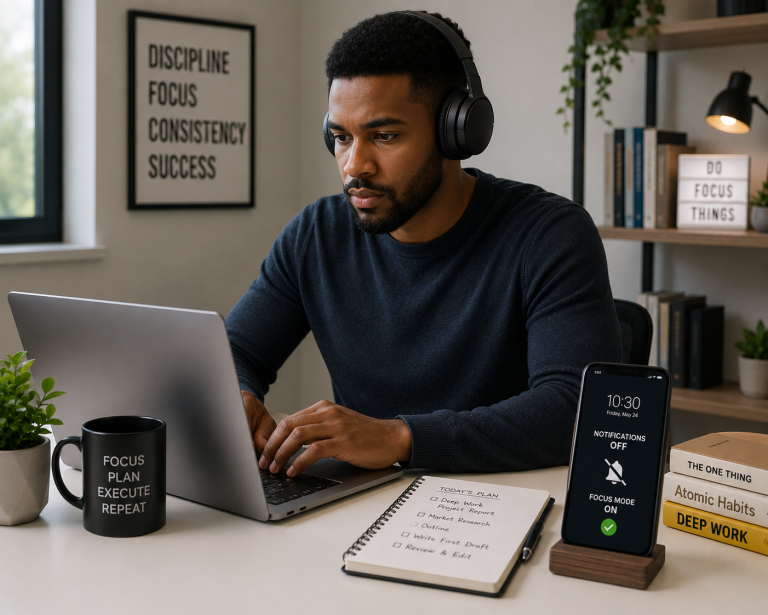
Distraction is the biggest enemy of productivity. Social media, emails, and endless notifications steal your attention.
Forest turns focus into a game. When you stay off your phone, a virtual tree grows. If you leave the app, the tree dies. It sounds simple, but it works. Productivity apps that reward focus make discipline easier.
Another powerful tool is RescueTime. It tracks how you spend your time online. Many people are shocked when they see how much time disappears on low-value activities. Productivity apps like this create awareness, and awareness creates change.
When you see your habits clearly, you can improve them.
Communication Productivity Apps That Reduce Noise
Communication is necessary, but it can also destroy productivity.
Slack Technologies provides structured team communication. Instead of endless email chains, conversations happen in organized channels. When used properly, productivity apps like Slack reduce confusion and speed up collaboration.
The problem is not communication itself. The problem is unstructured communication. Productivity apps help create boundaries so messages do not interrupt deep work constantly.
You can schedule notification breaks. You can mute channels. You can design your digital space in a way that protects focus.
That is the real power of productivity apps.
How Productivity Apps Improve Your Mindset
Productivity apps do more than manage tasks. They shape your mindset.
When you check off a completed task, your brain releases dopamine. That small sense of achievement builds momentum. Momentum builds confidence. Confidence builds consistency.
Productivity apps also reduce anxiety. When everything feels urgent, your brain stays in stress mode. But when tasks are written down, scheduled, and organized, your nervous system relaxes.
You feel in control.
And control is a powerful feeling.
Choosing the Right Productivity Apps for You
Not every productivity app is right for everyone.
Some people need visual boards. Others prefer simple lists. Some love detailed tracking. Others want minimal design.
The mistake many people make is downloading too many productivity apps at once. They spend more time organizing their system than doing real work.
Start simple.
Choose one task manager. Choose one calendar. If needed, choose one focus app. Test them for a few weeks. See what sticks.
The goal of productivity apps is not to create complexity. It is to reduce it.
The Hidden Mistakes People Make With Productivity Apps
Even the best productivity apps fail if used poorly.
One common mistake is overplanning. You schedule every minute of your day and leave no room for flexibility. When one task takes longer than expected, the entire system collapses.
Another mistake is ignoring review time. Productivity apps are tools, not magic. You need to review your tasks daily and weekly. Adjust priorities. Delete what no longer matters.
Without review, productivity apps become digital clutter.
Consistency matters more than perfection.
How Productivity Apps Support Long Term Goals
Big goals feel overwhelming. Writing a book. Launching a business. Learning a new skill.
Productivity apps help break big goals into small daily actions. Instead of thinking about the final result, you focus on today’s task.
Small actions repeated daily create massive outcomes over time.
This is where productivity apps truly shine. They connect your daily behavior to your long-term vision. They remind you that progress is built step by step.
Are Productivity Apps Worth It
Some people argue that you do not need productivity apps. They say a notebook is enough.
And yes, a notebook can work.
But productivity apps offer automation, reminders, syncing across devices, collaboration tools, and data tracking. They adapt to modern life.
If your work happens online, using productivity apps is practical and efficient.
The key is remembering that apps do not make you productive. Your habits do. Productivity apps simply support those habits.
Building a Simple Productivity System That Works
Here is a simple way to use productivity apps without feeling overwhelmed.
Use one task manager to list and organize tasks. Use one calendar to schedule focused work blocks. Use one focus app if distractions are a problem. Review your system every evening for five minutes.
That is it.
Productivity apps work best when they are simple and consistent.
The Real Freedom Behind Productivity Apps
At first glance, productivity apps seem like tools for working harder.
But in reality, they help you work smarter.
When you manage your time well, you finish tasks faster. When you finish tasks faster, you free up time. And free time gives you space for rest, family, creativity, and growth.
Productivity apps are not about filling every hour. They are about using your hours wisely.
And that is true productivity.
Final Thoughts on Productivity Apps
If you often feel overwhelmed, distracted, or behind, productivity apps can transform your daily experience. They give structure to your goals, clarity to your tasks, and protection to your focus.
But remember this. The power is not in the app itself. The power is in how you use it.
Start small. Stay consistent. Review often.